
An operator (OP) can use server commands in the game, like /gamemode, /tp and /time set. As the owner of the server, you usually want OP for yourself.
You can give OP on the Players page of your server.
Only give OP to people you trust
Operators can run every command, including commands that change or delete things. They can also stop your server.
Open the Players page
- Go to panel.fps.ms and open your server.
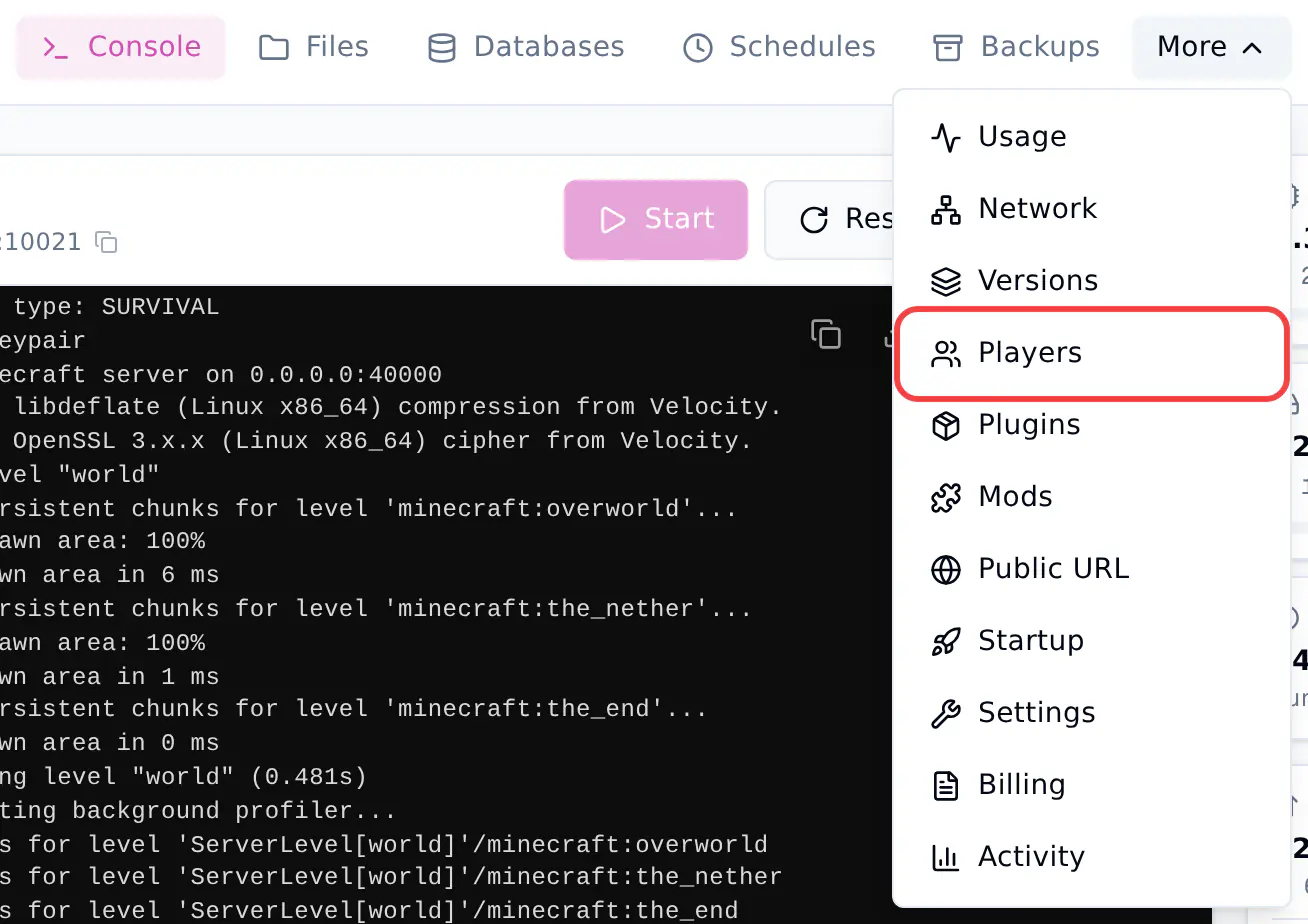
- In the top bar, click More, then click Players.
- Click the Operators tab.

Server is sleeping?
The player lists are read from files on your server. If your server is asleep, click Wake server and load players first.
Make yourself an operator
- Type your Minecraft name in Player name. Use your Java Edition name, for example
Luca. - Click Make operator.
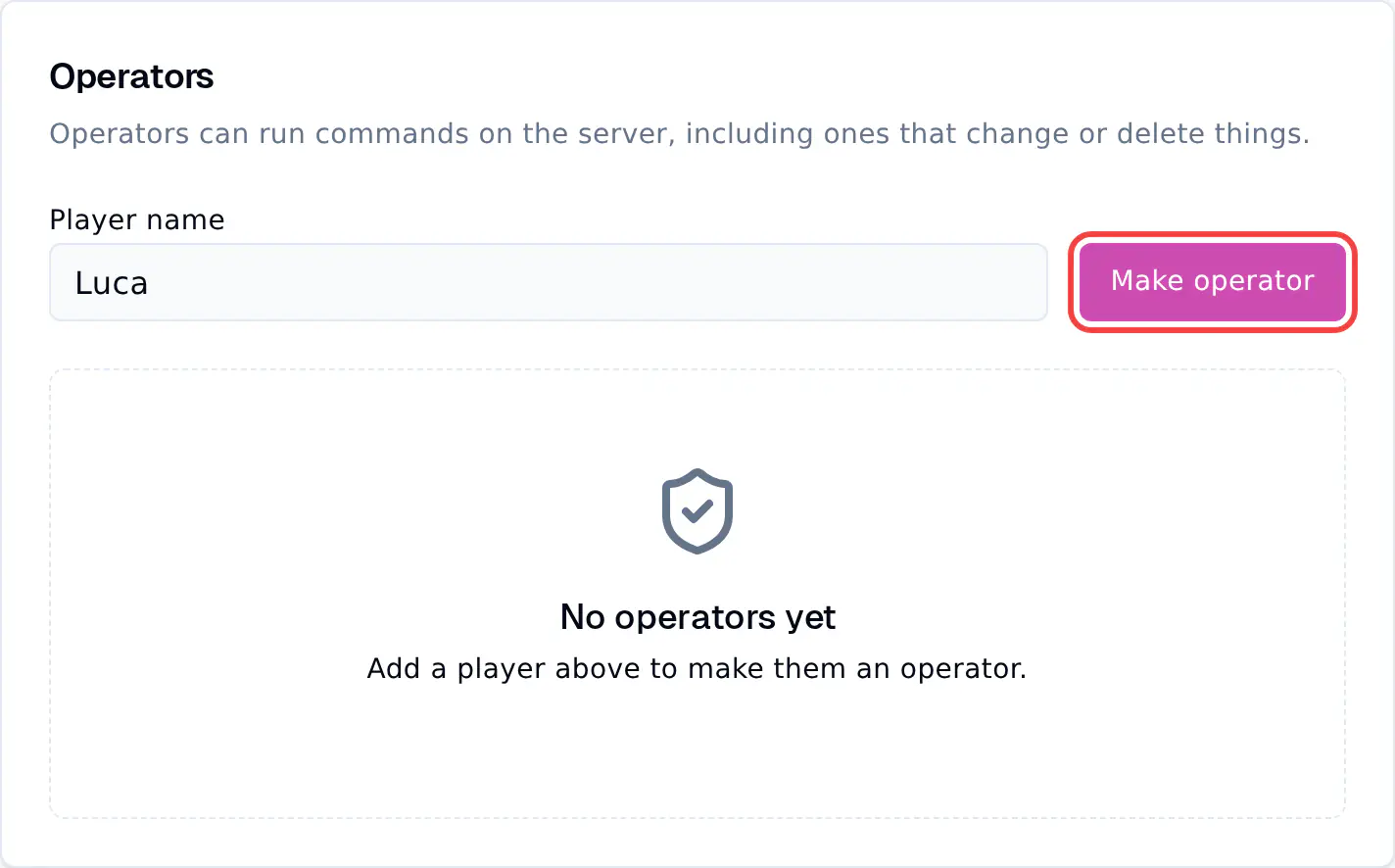
You now show in the list of operators. Level 4 means you can run every command.
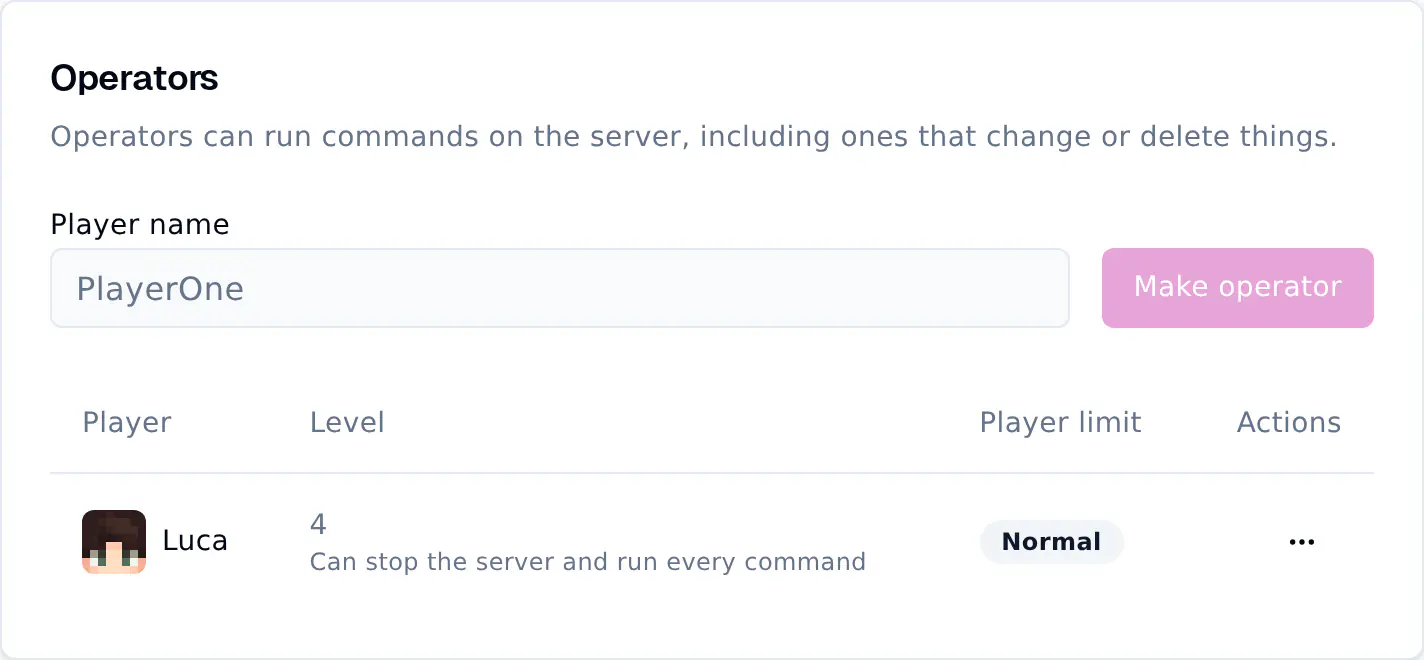
The change works right away. If you are already in the game, you can use commands now. You do not need to restart your server.
Tip
You can make someone an operator before they have ever joined your server. The panel checks the name with Minecraft, so a name that does not exist is refused.
Remove OP from a player
- Click the ... button next to the player.
- Click Remove operator.
Use the console instead
You can also give OP from the Console page. Type the command without a /:
| Command | What it does |
|---|---|
op Luca |
Makes Luca an operator |
deop Luca |
Removes OP from Luca |